Reports you build. MTTR you don't log.
A step-by-step report builder with a template library and one-click CSV export. And MTTR and response time on every plan, computed from your work orders, with no downtime logging.
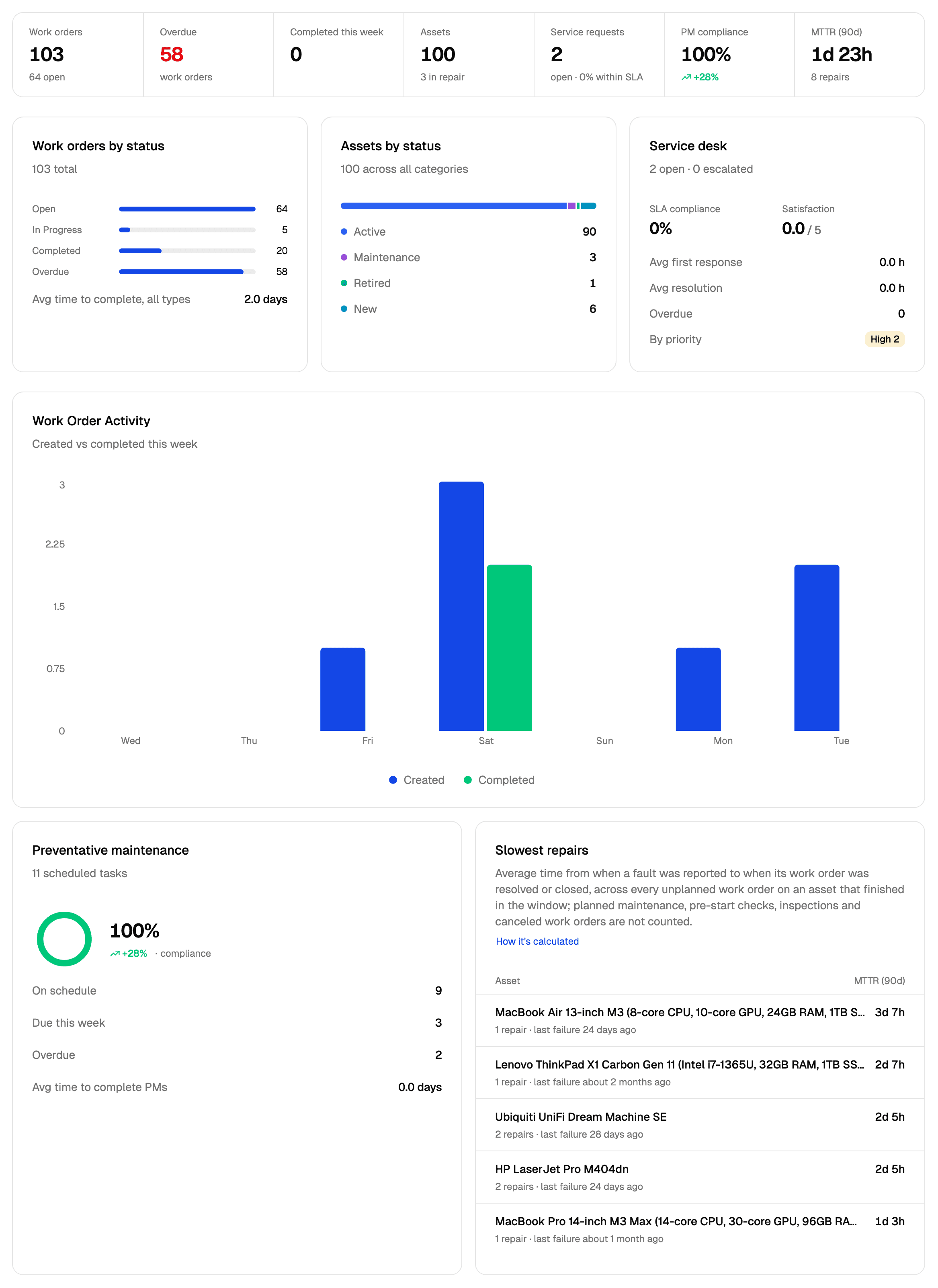
MTTR without a downtime log.
Most maintenance tools only show MTTR if a technician logs when an asset goes down and when it comes back up, or if you pay for an analytics tier. AssetOS works it out from the work orders your team already closes.
How AssetOS defines MTTRAverage time from when a fault was reported to when its work order was resolved or closed, across every unplanned work order on an asset that finished in the window; planned maintenance, pre-start checks, inspections and canceled work orders are not counted.
- MTTR per asset and across your organisation; response time per asset
- Computed from the work orders' own timestamps, reported to resolved, so nobody logs downtime
- Free on every plan
- Every asset's MTTR opens to the work orders behind it
- Each asset: last 30, 90 or 365 days, or all time. The dashboard shows the last 90 days
- Figures can be up to 5 minutes old
What's in the box.
Six templates teams start from.
Overdue Work Orders
Open work past its due date — your daily escalation list
Reactive vs Planned Work
Work order count by type — the planned-maintenance ratio
Labour Hours by Technician
Total hours logged per person across all work
Maintenance Effort by Asset
Which assets are consuming the most labour
Inspections Outstanding
Open inspection jobs and when they are due
Assets Missing QR Tags
Assets nobody can scan yet — the tagging worklist
The questions we get asked.
See it on your own data.
Start a free trial and import your assets. MTTR shows up on its own once your first repair work orders are resolved.
No credit card required · Cancel any time
From the blog
AI in Maintenance Management: The Future is Here (2026 Guide)
How artificial intelligence is transforming maintenance operations from reactive firefighting to proactive …
Manufacturing Equipment Downtime: The Hidden $50K/Hour Cost
Unplanned manufacturing downtime costs more than most operations realize. Learn the true financial impact a…
Why Most CMMS Tools Fail (And How to Pick One That Won't)
An operations veteran's 18-year perspective on why CMMS implementations fail and how to choose software tha…