Fire extinguisher servicing software, built around BS 5306-3
Keep a register of every extinguisher you look after, service them from a phone, and issue the service report and certificate before you leave the site. Built for UK fire-protection companies, around the servicing schedule and report contents in BS 5306-3.
Last updated November 2, 2026. Screenshots show a demo organisation.
A register that knows what's due
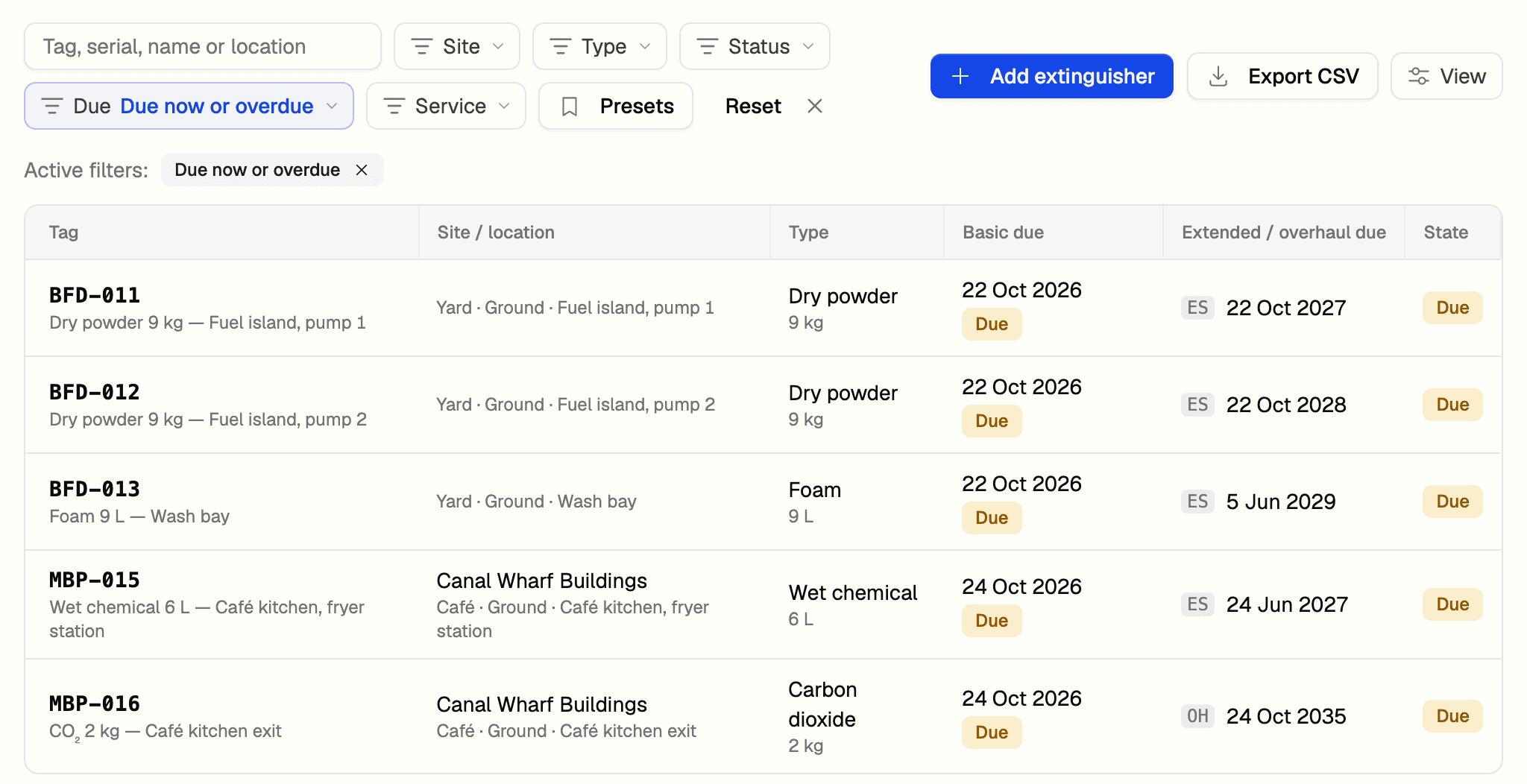
AssetOS keeps a register of every extinguisher, with its site, location, type and manufacture date. It works out when each one is next due a basic service, an extended service or an overhaul, and shows the worst of them as the unit's state: Current, Due soon, Due or Overdue.
| Service | What it is | How often |
|---|---|---|
| Basic service | The yearly service every extinguisher gets | Every year, counted from commissioning or the last service of any kind |
| Extended service | A deeper service with a test discharge, for water-based, foam, wet chemical and powder units | Every 5 years. Every 10 for primary sealed powder or a composite cylinder |
| Overhaul | The long-cycle service with a pressure test, for CO₂, clean agent and halon units | Every 10 years, counted from manufacture or the last overhaul |
A higher service counts for the lower ones, so an extended service resets the basic clock. The standard allows a month either side of a due date, so a unit shows Due a month before its date and only turns Overdue a month after. You choose the Due soon window; it starts at 60 days. A condemned unit is paused and drops off the due lists.
Search by tag, serial, name or location. Filter by site, type, status, due state or service, save your own presets, and export the filtered list to CSV.
Run the site visit from a phone
One visit covers one site. Opening it adds every in-service extinguisher there and creates one work order for the technician. On site, the technician scans a unit's QR label, taps Service now, and answers the checks Pass or Fail. A fail needs a note saying what is wrong.
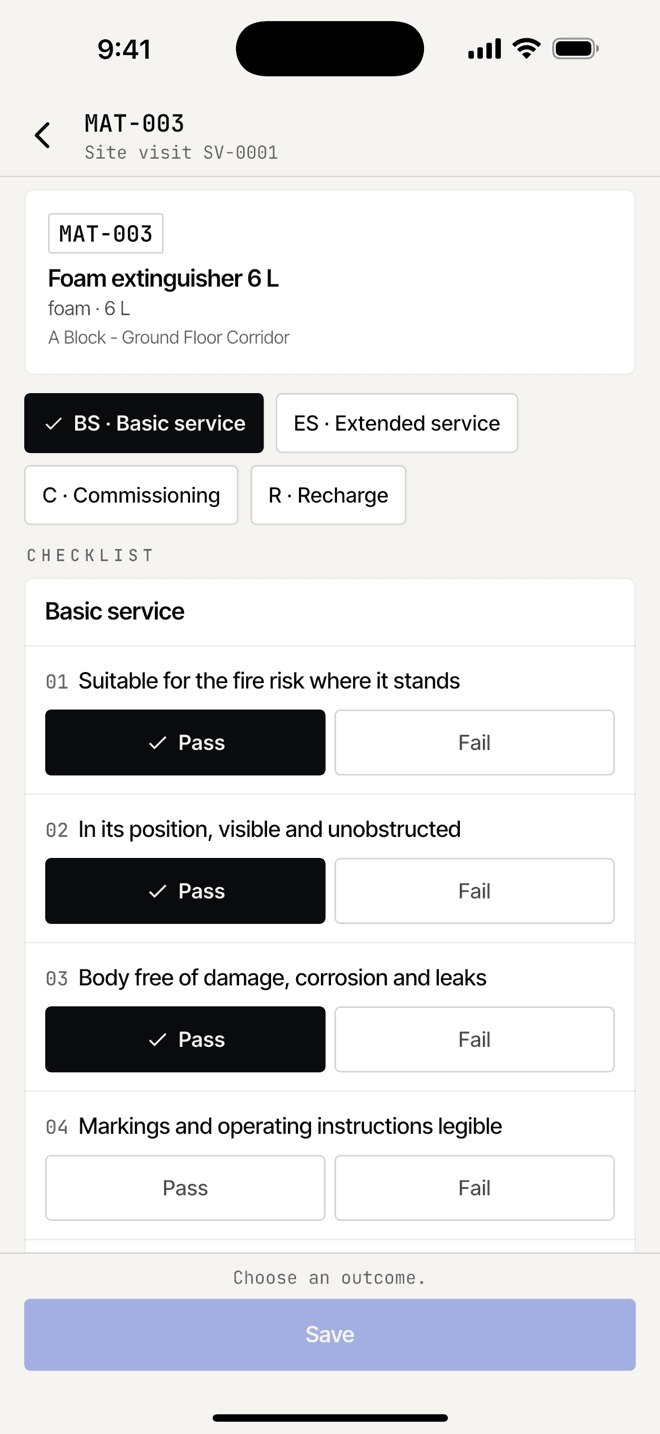
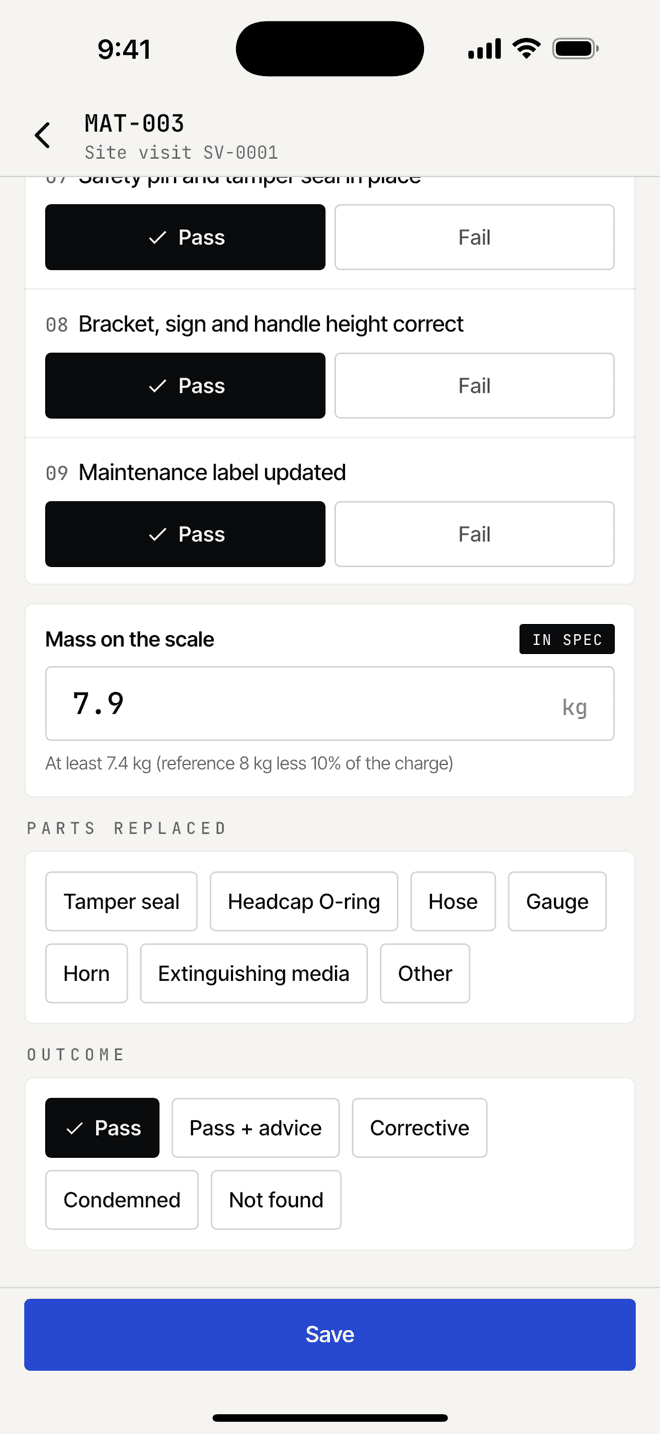
Each unit ends in one of four outcomes:
- Pass. Recorded as serviced, with advice for the customer if there is any.
- Corrective action. The unit couldn’t be serviced on the day, for a reason you choose, such as a recharge being needed. A repair job opens for it.
- Condemned. With the reason, and the replacement unit if there is one.
- Not found. Recorded as missing, and listed that way on the certificate.
The mass check shows the lowest mass the unit may weigh. CO₂ units are weighed against the charged weight stamped on the cylinder. Labels print from the visit: a service label for every unit recorded, and a yellow corrective-action label for each unit that needs one.
You can't close the visit until every unit is recorded and the responsible person's acknowledgement is in, either signed on site or marked not available with the reason.
Service report and certificate
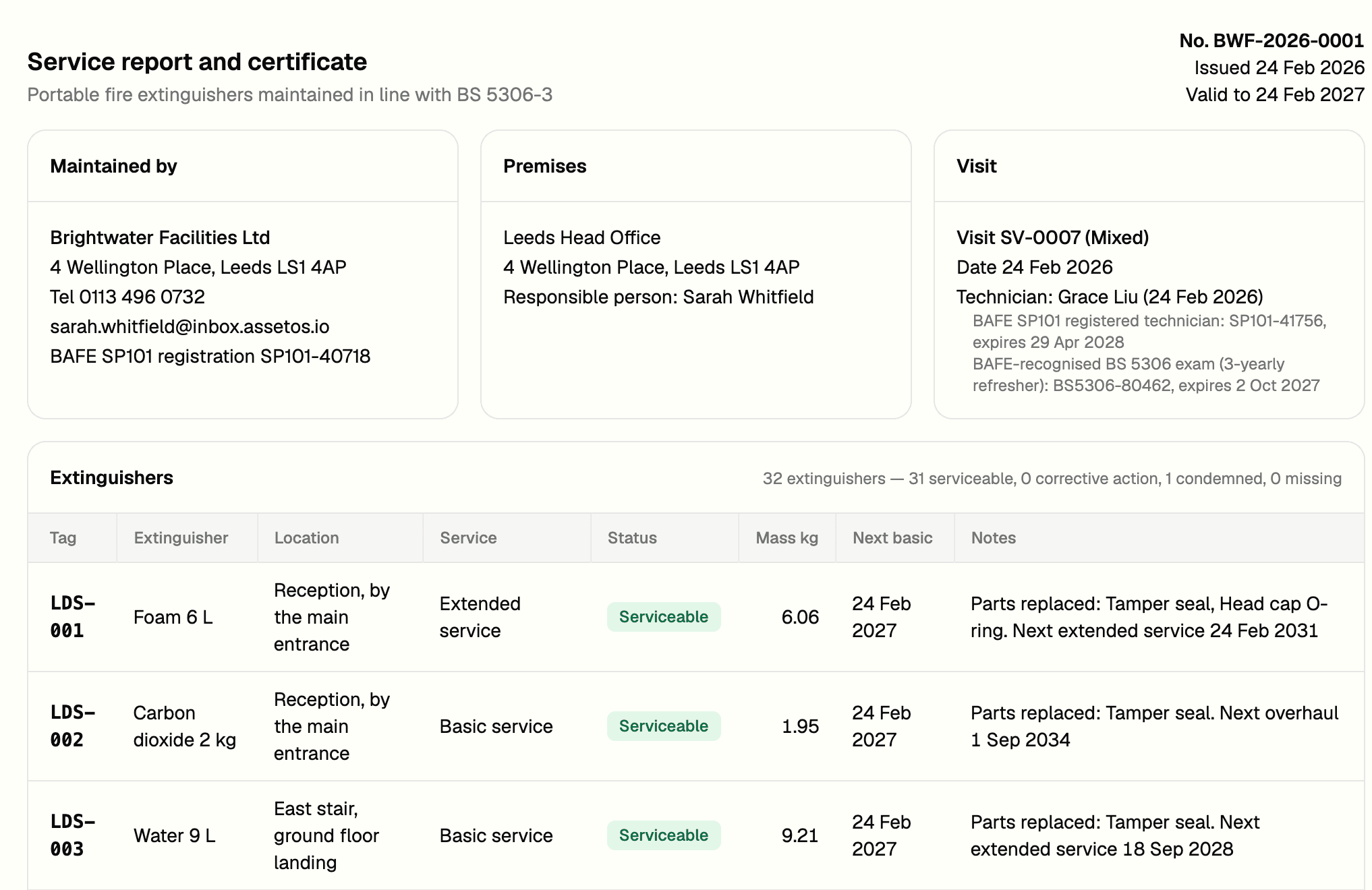
When the visit closes, AssetOS issues a numbered service report and certificate from the records on that visit. It covers the twelve things BS 5306-3 asks the written report to contain, including the state of every unit, why any were condemned, what needs replacing or adding, who did the work and when, and the responsible person's acknowledgement. The wording of the statements starts from AssetOS's defaults, and you edit it to suit your company.
- Preview first, then issue. Nothing is numbered, filed or sent until you do.
- Download as PDF or DOCX, or email it to the site contact with the totals and the next service date.
- If nobody signed on site, the email carries a link for the responsible person to acknowledge receipt.
- The technician can issue on site by default. Switch that off if certificates should wait for a manager.
- A correction means re-issuing: the old certificate becomes Superseded and points to the new one. An admin can revoke one that should never have gone out.
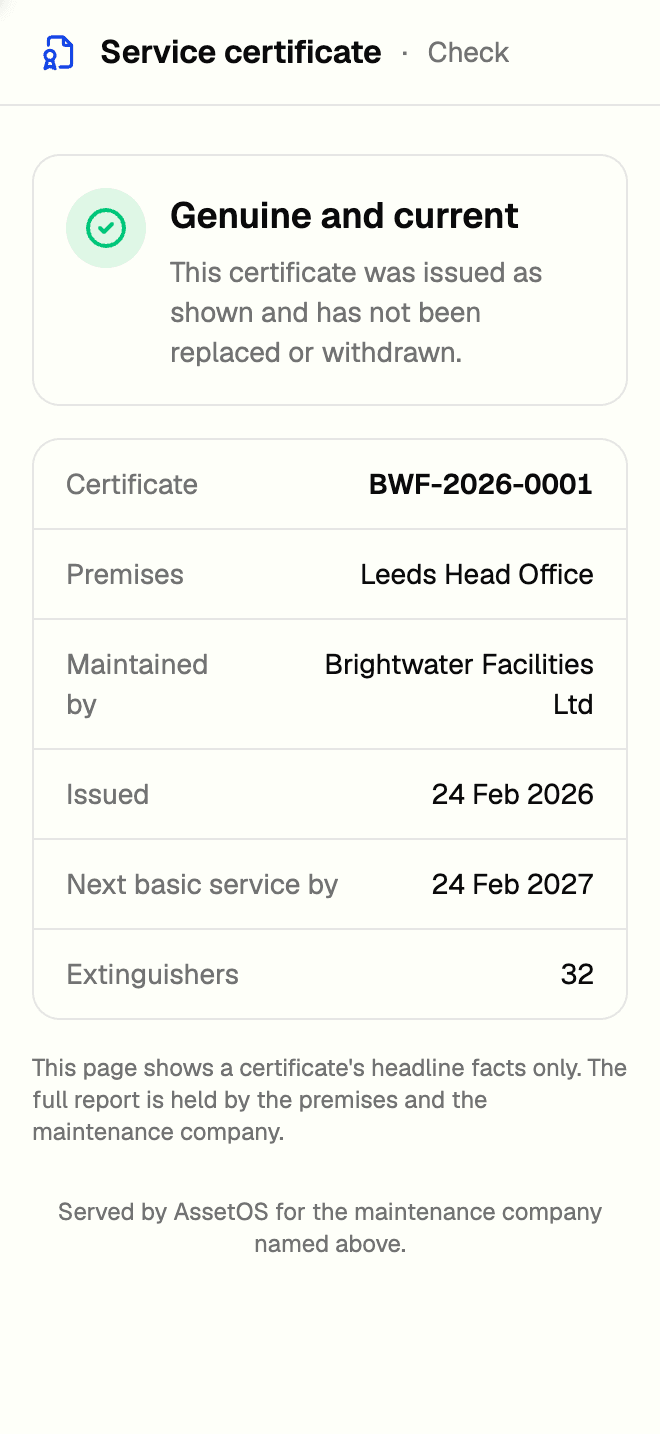
Each PDF carries a QR code. Anyone who scans it, such as a fire officer or an insurer, sees whether the certificate is genuine and current, genuine but overdue for service, superseded or revoked, along with the certificate number, the premises, who maintained it, the issue date, the next basic service date and the number of extinguishers. Nothing more.
Monthly checks and the fire log book
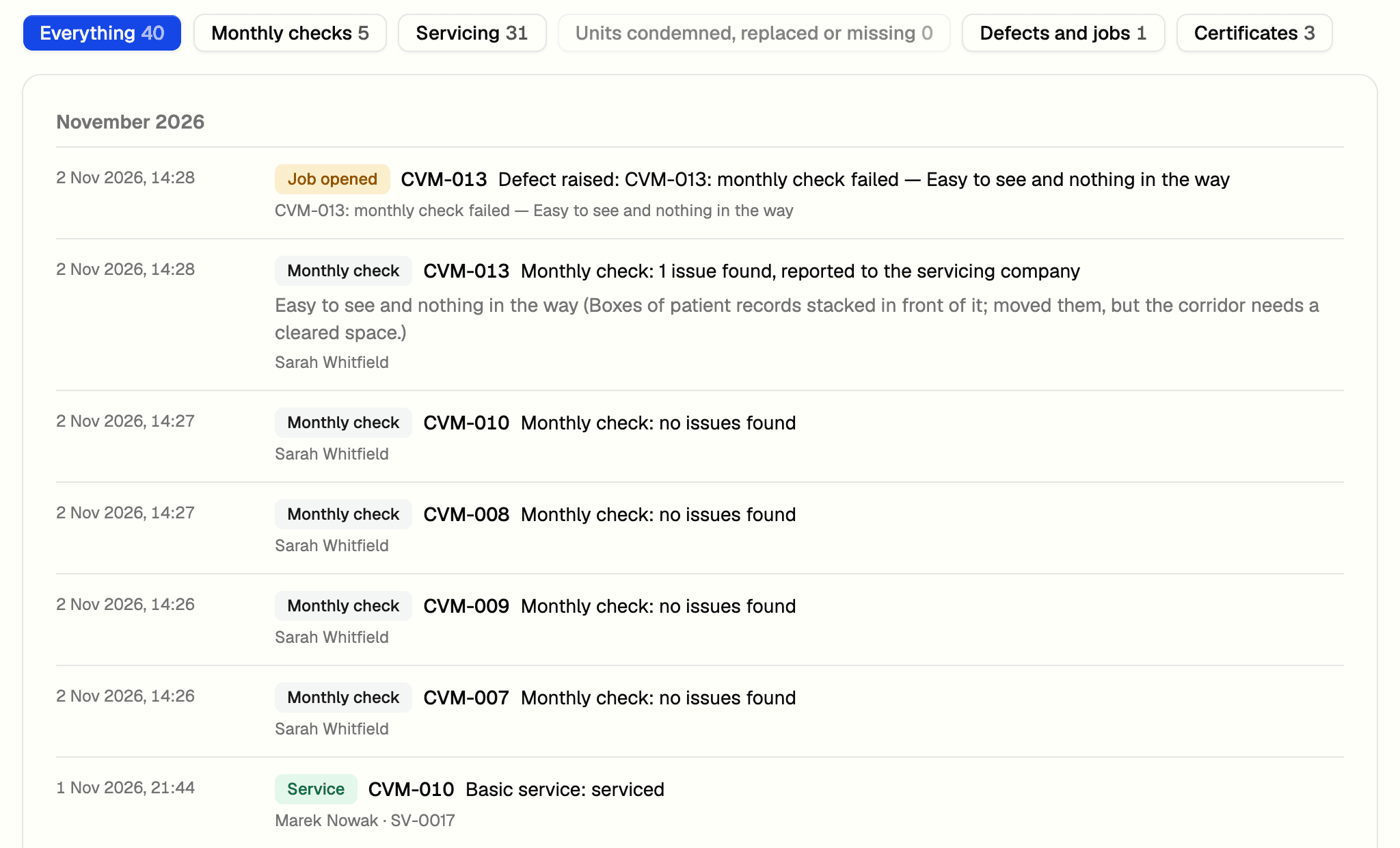
Between services, the site checks each extinguisher at least once a month. The responsible person scans the label, taps Monthly check and answers seven yes or no questions, or six for CO₂, which has no gauge. A No needs a note and opens a repair job for you, or adds to the job an earlier check already opened for the same fault.
The fire log book gathers the last 12 months: monthly checks, services, visits closed, units condemned, replaced or missing, defect jobs, and certificates issued. Filter it, then export to CSV or PDF. The site page puts the log book header, open actions, certificates and the register on one screen for the fire officer.
Technician qualifications
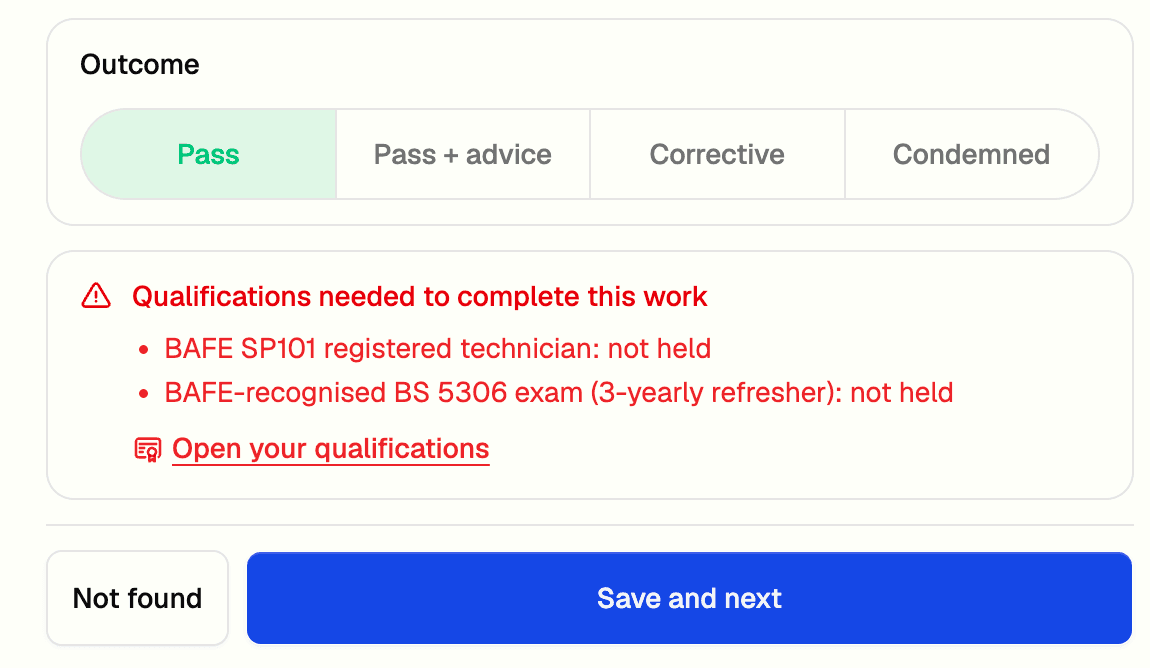
AssetOS records what each technician holds: BAFE SP101 registration and the BS 5306 exam with its three-year refresher come set up, and you can add your own qualification types. Each entry has a reference, dates and an evidence file, and a manager verifies it.
If someone without a current qualification tries to complete a service or issue a certificate, AssetOS refuses and says which qualification is missing, expired or not yet verified. You decide whether an unverified entry warns or blocks. AssetOS records what you enter. It doesn't check anything with BAFE.
What your client sees
Invite a client and they get a free AssetOS account. In their portal they see the certificates for the extinguishers you look after, with a PDF of each, and they can log the monthly check and read the fire log book themselves. A No on their monthly check opens a repair job in your queue. You switch each of these on or off per client.
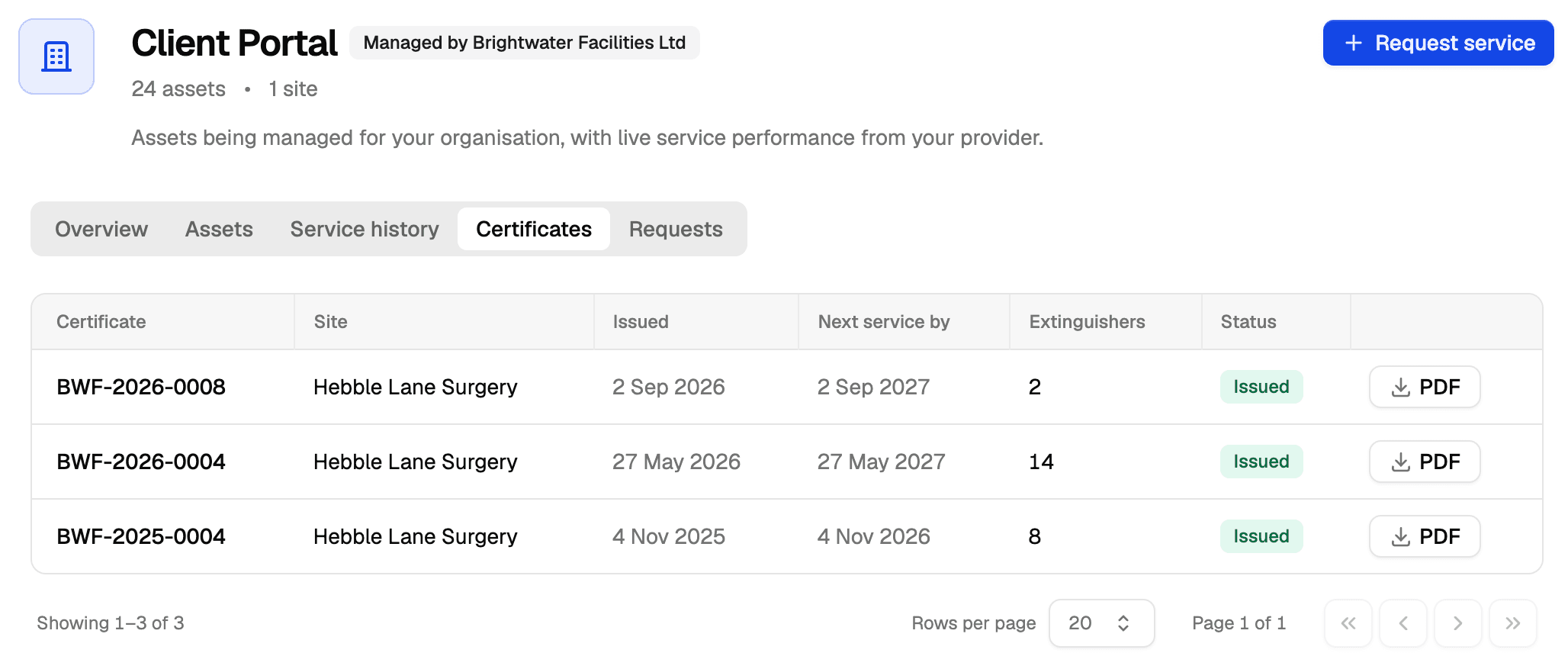
Sharing with clients needs Managed Services, which starts on the Professional plan. More on the client portal.
Start from the list you have
If your extinguishers are in a spreadsheet today, that is a fine place to start. Upload it as a CSV and AssetOS guesses each column's type; you check the mapping and import. On Professional and above, AI import reads the sheet and proposes a plan, including your clients and their sites. You answer its questions and confirm. Nothing is created until you do.
What it doesn't do
- UK only. It follows BS 5306-3:2017. Other countries’ standards aren’t supported yet.
- No signing on the phone yet. The responsible person’s name is recorded, or the reason they weren’t available. When nobody signed on site, they can acknowledge from the emailed link.
- No certificate resend. If an email didn’t go, download the PDF and send it, or re-issue after adding the address.
- No quoting or invoicing here. Invoicing is in build.
- No claim of compliance. That is for your company and your technicians to make about their own work. The standard stays the reference for how each service is done.
Pricing
Fire safety is included from the Basic plan. Sharing certificates and monthly checks with clients needs Managed Services, on Professional and above. Prices are on the pricing page. Anyone who only reports a fault or runs a check is a free requester; technicians who are assigned work orders are paid seats.
Questions
Further reading
- How often UK fire extinguishers need servicing: monthly checks, the yearly basic service, the 5-year extended service and the CO₂ rules.
- Free fire extinguisher service log, a spreadsheet for teams not ready for software.
- Fire and safety equipment servicing beyond extinguishers.